How Applicant Tracking Systems Screen Resumes – Your 2026 Guide
You spent hours perfecting your resume. You hit submit. And then… silence.
No callbacks. No rejections. Just a void. Before you blame your qualifications, consider this: your resume may never have reached a human. In 2026, the majority of resumes submitted to medium and large organizations are filtered by software before a recruiter ever opens a file. This is the reality of the modern job market, and understanding it is your first step to getting noticed.
What Is an Applicant Tracking System (ATS)?
An Applicant Tracking System is the digital gatekeeper of the hiring world. It's software used by companies to manage the flood of applications they receive. Instead of a human reading every single resume, the ATS scans, organizes, and ranks them based on how well they match the job description. If your resume isn't formatted for these systems, it can be automatically filtered out. With an estimated 97-99% of Fortune 500 companies using an ATS, this is a hurdle almost every job seeker faces.
One of the most persistent myths is that an ATS automatically rejects 75% of applicants. This figure is often misunderstood. Major ATS providers like Workday and Greenhouse have confirmed that the systems don't typically auto-reject resumes outright. Instead, the ATS parses your document, extracts the text, and evaluates it against the job description to generate a relevance score. A "failure" usually isn't an automated rejection, but being ranked so low that no human recruiter ever clicks on your profile.
The ATS Screening Process: Step-by-Step
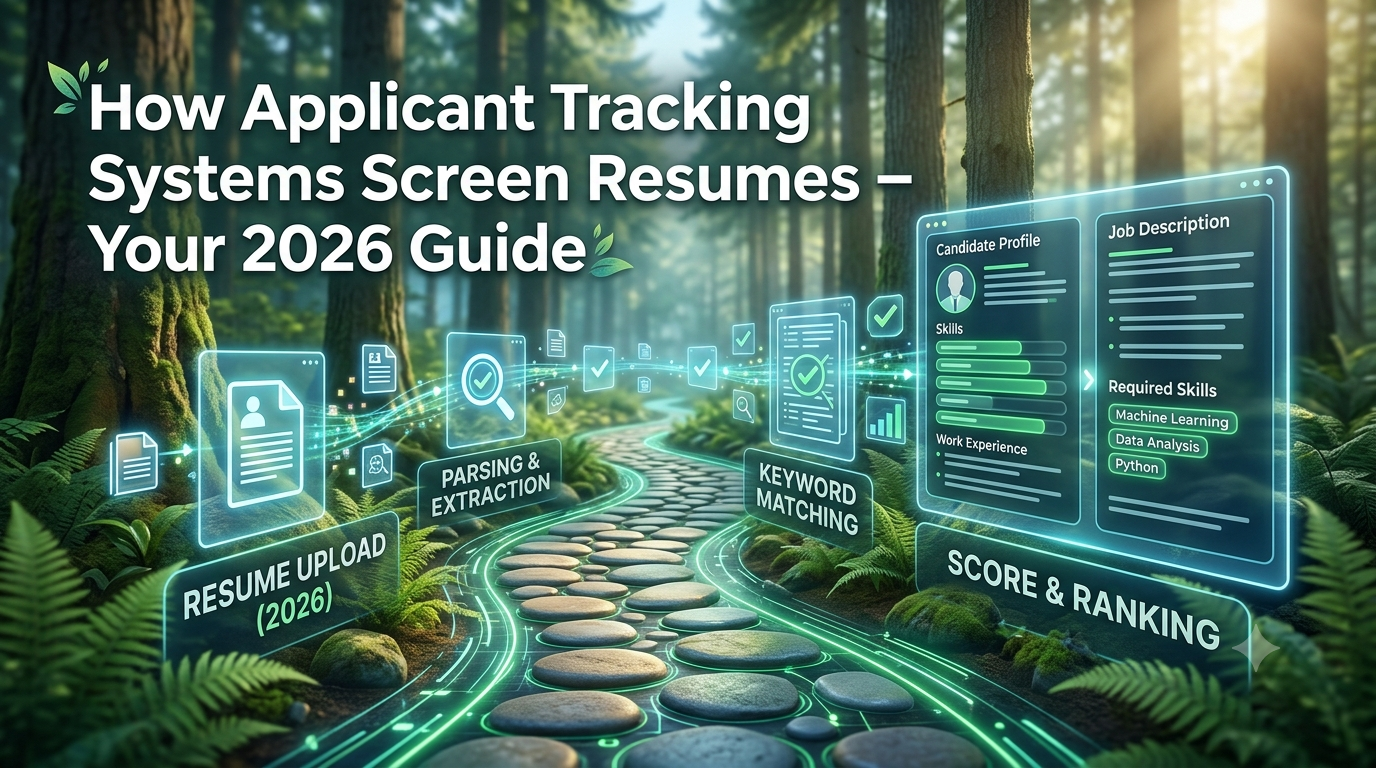
Modern ATS systems use a multi-stage process to evaluate your resume:
Document Parsing
This is the most critical and failure-prone step. The ATS converts your file into plain text, mapping it to structured fields like your name, contact info, work history, and skills. If the system can't read your document correctly—because of a complex layout or embedded graphics—it becomes "garbage characters," and your application essentially disappears.
Semantic Analysis & Keyword Matching
The ATS no longer just looks for exact keyword matches. In 2026, systems use Natural Language Processing to understand context and related skills. For instance, they can recognize that "customer relationship management" and "CRM" are related terms. The goal is to see if your experience, described in your words, aligns with the job description's language.
Scoring & Ranking
After parsing and analysis, the ATS assigns a match score to your profile. Candidates with the highest scores are passed on for human review. The recruiter usually sees this structured ATS profile first, which is why accurate parsing and clear, relevant content are so vital.
Human Hand-off
The highest-scoring candidates are presented to recruiters for human review. This is where your resume finally gets read by a person—but only if you've successfully navigated the first three stages.
Key Factors That Make Your Resume ATS-Friendly
Impact Metrics Are Non-Negotiable: In 2026, this is arguably the single most critical factor. Modern ATS platforms use AI to identify candidates who demonstrate performance, not just activity. If your resume lists duties ("Managed social media"), you'll rank lower than if you show outcomes ("Increased Instagram engagement by 27% in 3 months"). Quantifiable results, like numbers, percentages, and dollar amounts, are what signal competence and effectiveness to the algorithm.
Strong (outcome): "Increased Instagram engagement by 27% in 3 months and grew followers by 40%."
Mirror the Job Description's Language: Generic resumes are the enemy of ATS success. ATS systems compare your application against the specific job posting. If the job description says "stakeholder management," but your resume says "cross-functional collaboration," the system may not recognize your experience. Analyze the job posting and use the same exact keywords and phrases they use, especially for required skills, tools, and qualifications.
Prioritize Simple Formatting: Complex designs from tools like Canva are a major risk. Tables, text boxes, images, and multi-column layouts can confuse ATS parsers, causing them to miss vital information. A clean, single-column layout with standard section headings (Work Experience, Education, Skills) is the safest and most reliable choice.
| Do This | Avoid This |
|---|---|
| Single-column layout | Tables, text boxes, multiple columns |
| Standard fonts (Arial, Calibri) | Fancy or unusual fonts |
| Standard headings (Experience, Skills) | Creative headings like "Career Journey" |
| Simple bullet points (•, -, *) | Arrows, checkmarks, special characters |
| PDF or .docx (text-based) | Images, icons, logos, graphics |
Choose the Right File Name and Type: Submitting a .docx file is generally the safest option, as some older ATS systems still parse it more reliably than PDFs. If you use a PDF, ensure it's a text-based file (not an image) so the text can be selected and read. Also, use a professional file name like FirstName-LastName-Resume.pdf.
The Role of AI: Both Friend and Foe
Hiring is a two-sided AI battlefield. Employers use AI to screen and rank candidates more efficiently, while job seekers increasingly use AI to write and refine their resumes.
Conclusion: Work With the System, Not Against It
The Applicant Tracking System isn't a mysterious force out to get you—it's a tool designed to help recruiters manage overwhelming volume. By understanding how it works and optimizing your resume accordingly, you can stop your resume from disappearing into the void. The core principles are clear: mirror the language of the job description, demonstrate your value with quantifiable achievements, and keep your formatting simple. These practices will not only help you pass the ATS screen but will also make your resume more compelling to the human who reads it next.
Remember these key takeaways:
- 97-99% of Fortune 500 companies use ATS systems
- ATS parses, analyzes, scores, and ranks resumes
- Impact metrics (numbers, percentages) are the most critical factor
- Mirror the exact language from the job description
- Keep formatting simple – single column, standard fonts, clear headings
- Use .docx or text-based PDF with a professional file name
- Review and personalize any AI-generated content
Now go optimize your resume and get the interviews you deserve. 🚀