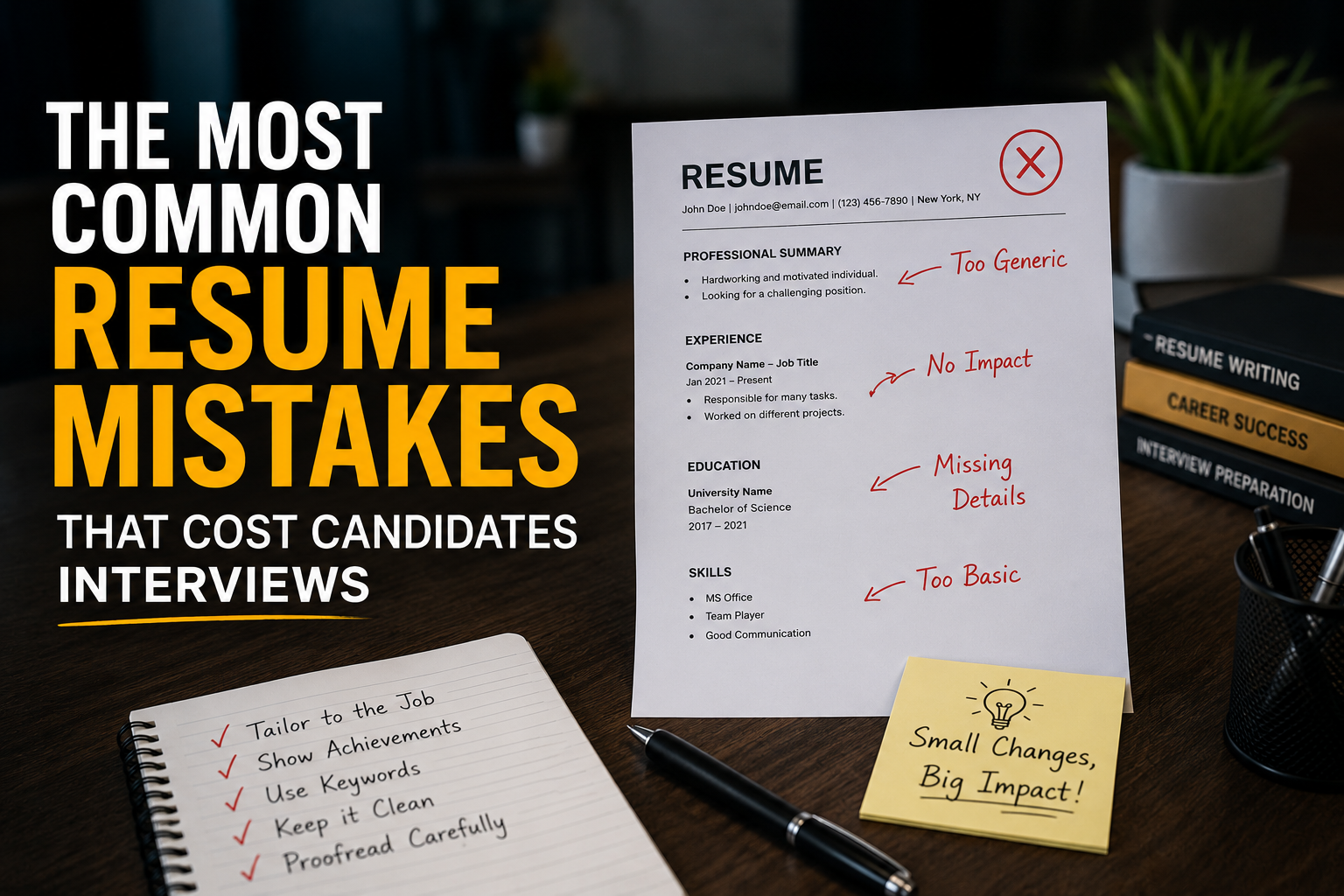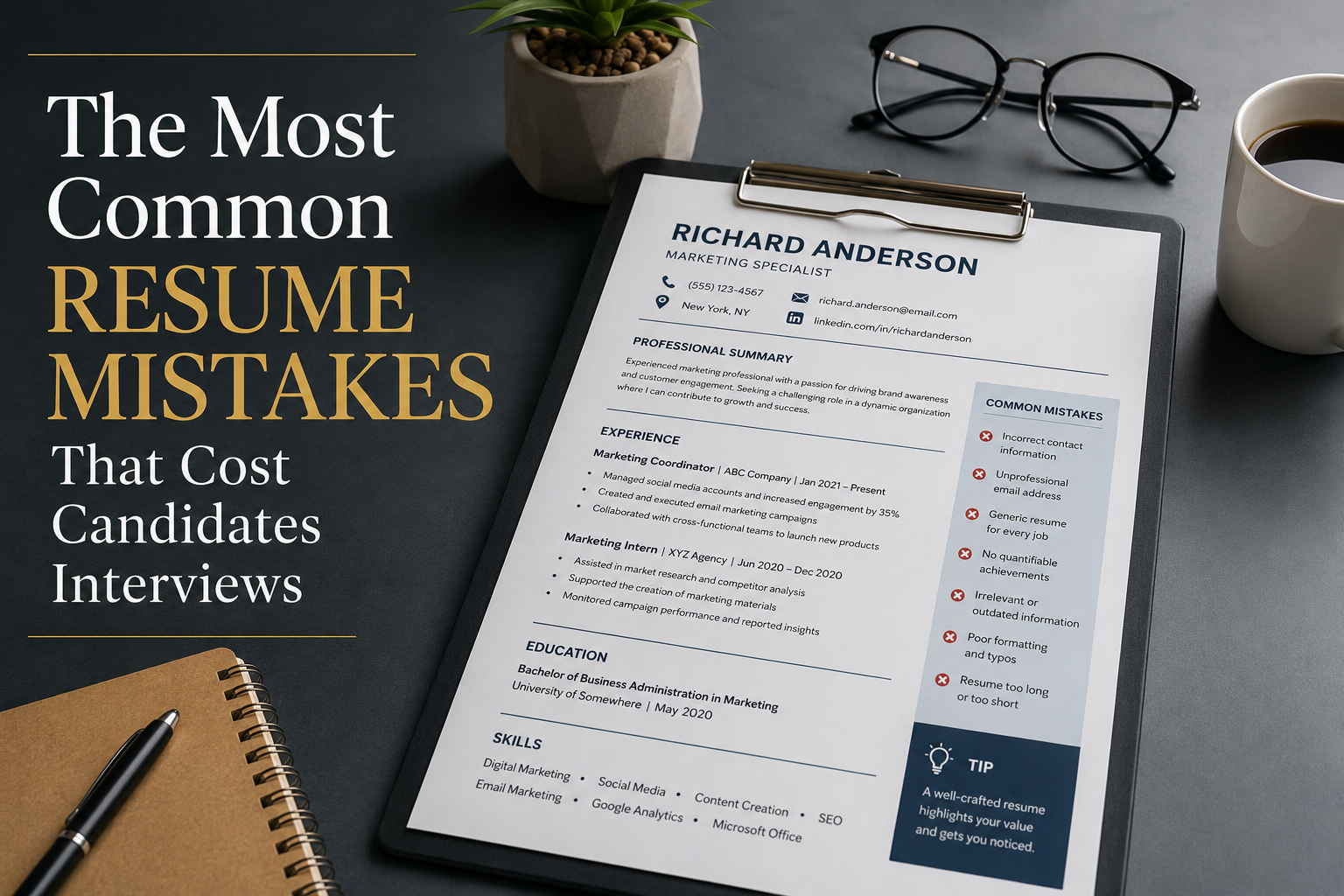
The Most Common Resume Mistakes That Cost Candidates Interviews
Introduction: Your Resume is Your First Impression – Make It Count
Your resume has one job. Just one. It needs to get you an interview.
That's it. Nothing more. Nothing less.
But here's the brutal truth – most resumes fail at this single task. Recruiters spend an average of 6 to 7 seconds scanning each resume. In that tiny window, they decide if you're worth a second look. If your resume doesn't grab their attention immediately, it goes straight to the reject pile.
I've seen thousands of resumes over the years. Good candidates. Smart people. Talented individuals. But their resumes? Absolute disasters. Typos everywhere. Generic buzzwords. Zero personality. No quantifiable achievements. Just a boring list of job duties that put recruiters to sleep.
The worst part? Most of these candidates have no idea they're making these mistakes. They blame the job market. They blame the competition. They blame everything except their poorly crafted resume.
But not you. Not anymore.
Today, we're going to tear down every single resume mistake that's costing candidates interviews. By the time you finish reading this guide, you'll know exactly what recruiters are looking for – and more importantly – what they're rejecting instantly.
Ready? Let's dive in.
Chapter 1: The 6-Second Rule – Why Recruiters Move Fast
Before we talk about specific mistakes, you need to understand how hiring actually works.
Recruiters are drowning in applications. For a single job posting, they can receive anywhere from 100 to 1000+ resumes. They don't have time to read each one carefully. So they scan. Fast.
What happens in those 6 seconds?
They check if your resume looks professional.
They scan for relevant keywords.
They look for quantifiable achievements.
They check for red flags (typos, gaps, unclear formatting).
If your resume fails any of these checks, you're out. Simple as that.
External research from LinkedIn confirms that recruiters prioritize resumes that are clean, concise, and keyword-optimized. Similarly, hiring experts on Glassdoor emphasize that formatting mistakes are among the top reasons resumes get rejected.
Chapter 2: The Typos and Grammar Mistakes – Small Errors, Big Consequences
Let's start with the most embarrassing mistake – typos and grammar errors.
You'd be shocked how many candidates submit resumes with obvious spelling mistakes. "Manger" instead of "Manager." "Attended" instead of "Attended." "C++" written as "C++" (missing the plus signs). These tiny errors scream one thing to recruiters: "I don't pay attention to details."
And if you can't proofread your own resume, how can they trust you to proofread important client emails? Or code? Or financial reports?
Common typos to avoid:
- "Manger" → "Manager"
- "Principlal" → "Principal"
- "Java Script" → "JavaScript"
- "Exprience" → "Experience"
- "Relevent" → "Relevant"
How to fix it:
- Read your resume out loud – your ears catch what your eyes miss.
- Use tools like Google Docs spell-check, but don't rely on them completely.
- Ask a friend to proofread. Fresh eyes catch more mistakes.
- Print it out and read it on paper. It feels different than reading on a screen.
At MBZOID, we emphasize the importance of detail-oriented work. Our disclaimer and terms of service clearly state our commitment to accuracy – because small mistakes can have big consequences.
Chapter 3: The Generic Objective Statement – Nobody Cares About Your "Dream Job"
Remember those classic resume objectives?
"Seeking a challenging position in a dynamic organization where I can utilize my skills and grow professionally."
Ugh. I just fell asleep writing that.
This is a fatal mistake. Objective statements are outdated. They focus on what YOU want, not what the COMPANY needs. Recruiters don't care about your "career growth" or "challenging opportunities." They care about one thing: Can you solve their problems?
The fix: Replace your objective with a professional summary or profile that highlights your value proposition.
"Recent graduate seeking an entry-level software development position to launch my career."
"Full-stack developer with 3+ years of experience building scalable web applications. Reduced page load times by 40% and increased user engagement by 25% at my previous role. Passionate about clean code and team collaboration."
Notice the difference? The second one is specific, quantifiable, and tells the recruiter exactly what you bring to the table.
If you want to learn more about crafting the perfect resume summary, check out resources on Indeed or watch tutorials on YouTube for visual guidance. You can also explore our blog for additional career advice.
Chapter 4: The Wall of Text – Recruiters Hate Reading
Another massive mistake? Giant blocks of text.
Some candidates write 10-line paragraphs describing their previous roles. Nobody reads that. Seriously. In those 6 seconds, recruiters will completely skip over dense text.
Why this is a problem:
- It makes your resume look messy and unprofessional.
- It hides your key achievements in a sea of words.
- It shows you don't know how to prioritize information.
The fix: Use bullet points. Keep each bullet point under two lines. Start each bullet with a strong action verb.
"Responsible for managing the company's social media accounts including creating content, scheduling posts, analyzing engagement metrics, and responding to customer inquiries. Also helped with email marketing campaigns and managed the company blog."
- • Managed 5 social media accounts across Facebook, Instagram, and LinkedIn.
- • Grew follower count by 45% in 6 months through strategic content planning.
- • Increased engagement rates by 30% using data-driven posting schedules.
- • Created weekly email newsletters reaching 10,000+ subscribers.
See how much cleaner that is? Recruiters can instantly scan and understand your impact.
Need help with formatting? At MBZOID, our team can guide you on professional resume formats. For more examples, visit Stack Overflow or GeeksforGeeks where professionals share resume tips.
Chapter 5: Failing to Quantify Achievements – Numbers Matter
This is probably the biggest mistake I see. Candidates write about their responsibilities but never mention their RESULTS.
Let me be blunt: Nobody cares about your duties. They care about what you ACCOMPLISHED.
- • Responsible for customer support.
- • Managed a team of developers.
- • Wrote code for the product.
- • Resolved 95% of customer inquiries within 24 hours, improving satisfaction scores from 3.2 to 4.5 stars.
- • Led a team of 8 developers to deliver a product 2 weeks ahead of schedule, saving $15,000 in costs.
- • Wrote modular code that reduced system crashes by 60% and improved load times by 35%.
How to quantify anything:
- Sales: Revenue increased by X%.
- Team size: Managed X number of people.
- Time: Completed projects X days/weeks early.
- Money: Saved or earned $X amount.
- Efficiency: Improved speed by X%.
- Scale: Reached X number of users/customers.
External studies on Coursera and Udemy highlight the importance of measurable achievements in resumes. Additionally, our privacy policy ensures that any data you share with MBZOID is handled with care – just like you should handle your resume data.
Chapter 6: Using Overused Buzzwords – "Synergy," "Dynamic," "Strategic"
Let's talk about buzzwords. You know the ones: "Results-driven," "Synergy," "Dynamic," "Strategic," "Team player," "Hard worker," "Go-getter," "Innovative."
These words mean nothing. Recruiters see them on almost every resume. They've become background noise.
The fix: Show, don't tell. Instead of claiming you're a "team player," describe a situation where you collaborated effectively.
"I'm a results-driven, strategic thinker with excellent communication skills and a proven track record of innovation."
"Pioneered a new customer feedback system that increased retention by 20% and reduced support tickets by 35%."
For more tips on avoiding buzzwords, check out career resources on LinkedIn or read articles on Glassdoor. You can also visit our about us page to see how we communicate our mission without buzzwords.
Chapter 7: Leaving Out Keywords – The ATS Filter Problem
Here's something many candidates don't realize: Your resume will likely be read by a machine before a human sees it.
Most companies use an Applicant Tracking System (ATS) to filter resumes. These systems scan for specific keywords related to the job description. If your resume doesn't contain those keywords, it gets automatically rejected – no human eyes ever see it.
Common missing keywords:
- Specific skills (Python, JavaScript, AWS, QuickBooks).
- Job titles (Full-stack Developer, Marketing Manager).
- Certifications (PMP, CFA, AWS Certified).
- Industry terms (Agile, Scrum, SEO, GAAP).
How to fix it: Carefully read the job description. Identify repeated keywords and phrases. Naturally incorporate them into your resume.
Pro tip: Create a "Skills" section at the top of your resume. List relevant keywords here. This helps both ATS and human recruiters quickly assess your fit.
To find the right keywords for your industry, search on Google for similar job postings. You can also explore GeeksforGeeks for technical keywords or Indeed for industry-specific terms. For legal clarity, review our terms of service which outlines how we handle data and information.
Chapter 8: The One-Page Resume Myth
There's a widespread belief that resumes must be one page. This is partially true – but only for certain situations.
When one page works: You have less than 5 years of experience. You're a recent graduate. You're applying for entry-level positions.
When you can go beyond one page: You have 10+ years of experience. You're in academia (CV format). You have extensive publications or projects.
The real rule: Your resume should be as long as necessary, but as short as possible. Don't add fluff to fill space. Don't remove important achievements to fit one page.
For guidance on resume length, check out YouTube tutorials from career experts. You can also reach out via our contact us page for personalized advice. Our disclaimer ensures we provide honest, unbiased guidance.
Chapter 9: The "References Available Upon Request" Trap
You see this phrase on countless resumes: "References available upon request."
Here's the truth: Recruiters already know they can ask for references. Wasting space on this statement is completely unnecessary.
What to do instead: Remove that line entirely. Use the saved space for something valuable – like a bullet point achievement or additional skill.
Pro tip: Have a separate reference list ready on a separate document. Use the same professional formatting as your resume.
To learn more about professional document formatting, read our privacy policy which emphasizes clear, organized communication. External platforms like LinkedIn also provide excellent resources for professional document creation.
Chapter 10: Listing Job Duties Instead of Achievements
I touched on this earlier, but it deserves its own section because it's that important.
Many candidates write resumes like this: "Responsible for managing the team." "Duties included coding, testing, and deployment." "Handled customer calls and resolved issues."
This is a duty-focused resume. It tells recruiters what you were supposed to do – not what you actually accomplished.
| Duty (Bad) | Achievement (Good) |
|---|---|
| Responsible for sales. | Exceeded sales targets by 30% for 3 consecutive quarters. |
| Managed a team of developers. | Led a team of 8 to deliver a product 2 weeks early, saving $15K. |
| Wrote code. | Built a feature that reduced load time by 50% and improved user retention by 20%. |
| Handled customer service. | Resolved 95% of tickets within 24 hours, boosting satisfaction scores. |
The formula: Action Verb + Task + Result + Quantifiable Metric.
External training platforms like Coursera and Udemy offer courses on resume writing that emphasize this approach. Additionally, our terms of service highlight our commitment to delivering measurable value – something every resume should do too.
Chapter 11: Not Tailoring Your Resume for Each Job
Here's a mistake that's surprisingly common: Sending the same resume for every job application.
Yes, it saves time. But it also kills your chances.
Each job is different. Each company is different. Each recruiter is looking for different things. A generic resume shows you're lazy and uninterested.
How to tailor your resume effectively:
- Analyze the job description – What are the top 5 required skills?
- Highlight matching experience – Move relevant achievements to the top.
- Use their language – If they say "project management," don't say "task coordination."
- Remove irrelevant experience – If it doesn't add value, it's just noise.
For industry-specific tailoring advice, check resources on Glassdoor and Indeed. Our about us page explains how we tailor our services to client needs – just like your resume should tailor to employer needs.
Chapter 12: Poor Formatting – Making a Bad Visual Impression
You might have amazing content, but if your resume looks ugly, recruiters will reject it.
Common formatting mistakes:
- Using 5+ different fonts.
- Inconsistent spacing or alignment.
- Garbled columns (especially when converted to PDF).
- Tiny fonts (below 10pt) or huge fonts (above 14pt).
- Too many colors (stick to black, white, and one accent color).
The fix: Use a clean, modern template. Stick to 1 or 2 professional fonts. Use consistent spacing. Convert to PDF before sending. Leave enough white space.
For resume templates and design ideas, check out YouTube tutorials or professional sites like LinkedIn. Our contact us page also offers free resume reviews – reach out anytime!
Chapter 13: Including Irrelevant Personal Information
Some candidates include unnecessary personal details that have no bearing on job performance. This is a waste of space and can even lead to unconscious bias.
What NOT to include: Marital status, date of birth, religious affiliation, political views, social security number, photograph (unless specifically requested).
What TO include: Full name, professional email address, phone number, LinkedIn profile URL, portfolio or GitHub link (for relevant roles), location (city and state – optional).
For more guidance on what to include (and exclude), read our privacy policy which outlines how we handle personal information responsibly. External platforms like LinkedIn also provide excellent profile-building tips.
Chapter 14: Ignoring the Power of Action Verbs
The words you choose matter. A lot. Strong action verbs make your resume dynamic and engaging. Weak verbs make it boring.
Weak verbs to avoid: Was responsible for, Helped, Participated in, Worked on, Did.
Strong action verbs to use: Managed, Architected, Developed, Launched, Optimized, Led.
For a comprehensive list of action verbs, search on Google for "resume action verbs." You can also explore Stack Overflow and GeeksforGeeks where tech professionals share their resume tips.
Chapter 15: Not Including a Portfolio or LinkedIn Link
In today's digital world, your resume isn't the only thing that matters. Recruiters will almost certainly check your online presence.
What to include: LinkedIn profile (make sure it matches your resume), Portfolio (for designers, writers, developers), GitHub (for developers), Personal website (if you have one).
Pro tip: Customize your LinkedIn URL. Instead of linkedin.com/in/john-doe-1234567, use linkedin.com/in/johndoe.
For tips on building a strong online presence, check YouTube tutorials or read guides on Glassdoor. Our about us page also explains how we leverage digital platforms to connect with our audience.
Chapter 16: Submitting Your Resume in the Wrong Format
You've spent hours perfecting your resume. You've fixed typos. Added achievements. Quantified everything. And then you send it as a Word document that gets completely garbled when the recruiter opens it.
The fix: Always send your resume as a PDF unless the job posting specifically asks for another format.
Pro tip: Name your file professionally. "John_Doe_Resume_2025.pdf" is far better than "resume_final_v2_really_final.pdf."
At MBZOID, we take file formats seriously. Our terms of service and disclaimer explain how we handle digital documents. External guides on Indeed also emphasize the importance of proper file formatting.
Chapter 17: Not Reviewing Your Resume Before Submitting
This seems obvious, but you'd be amazed how many candidates submit their resume without a final review. And then – disaster. They notice a typo 5 minutes after hitting "send."
How to avoid this: Read it out loud, print it out, get a second pair of eyes, check for consistency, run spell-check.
For additional review services, reach out via our contact us page. Our team offers free resume reviews! External platforms like LinkedIn also provide resume feedback tools.
Chapter 18: The Psychology of Recruiters – What They Really Want
Let's take a moment to understand the recruiter's mindset. It's not just about the resume – it's about the person behind it.
What recruiters really want: A problem solver, a team player, a quick learner, a reliable worker.
How your resume communicates this: Show specific problems you've solved, highlight collaborative achievements, mention new skills you've acquired, show consistent employment history.
External articles on Glassdoor and Coursera dive deeper into recruiter psychology. Our about us page also explains how we assess candidates internally.
Chapter 19: Mobile-Friendly Resume – The New Reality
Many recruiters now review resumes on their phones. If your resume isn't mobile-friendly, you risk losing their attention quickly.
How to make your resume mobile-friendly: Use a simple, single-column layout, avoid complex tables, use clear headings and bullet points, keep font size readable, save as PDF.
For mobile-friendly templates, search on Google or watch YouTube tutorials. Our contact us page also offers guidance on resume optimization.
Chapter 20: Not Customizing Your Resume for ATS – The Silent Killer
I mentioned ATS earlier, but it deserves a deeper dive.
What is ATS? It's software that scans your resume and extracts relevant information. If your resume isn't ATS-friendly, it might get rejected before a human even sees it.
ATS-friendly tips:
- Use standard section headings ("Experience," "Education," "Skills").
- Avoid graphics or images – ATS can't read them.
- Use simple formatting – no columns, no text boxes.
- Include keywords from the job description.
- Save as .docx or PDF (check job posting for preference).
External resources on GeeksforGeeks and Stack Overflow often discuss ATS optimization. Our privacy policy also highlights how we handle data processing – something ATS does with resumes.
Chapter 21: The Data – What Resume Mistakes Actually Cost You
| Resume Mistake | Percentage of Recruiters Who Reject Immediately |
|---|---|
| Typos or spelling errors | 60% |
| Generic objective statement | 55% |
| No quantifiable achievements | 50% |
| Poor formatting | 45% |
| Irrelevant information | 40% |
| Missing keywords (ATS) | 35% |
| Too long or too short | 30% |
What this tells us: Typos are the #1 killer. Generic statements are a close second. Without numbers, your resume is weak.
For more data-driven career advice, check out articles on LinkedIn or Indeed. Our about us page also shares insights from our years of experience in the industry.
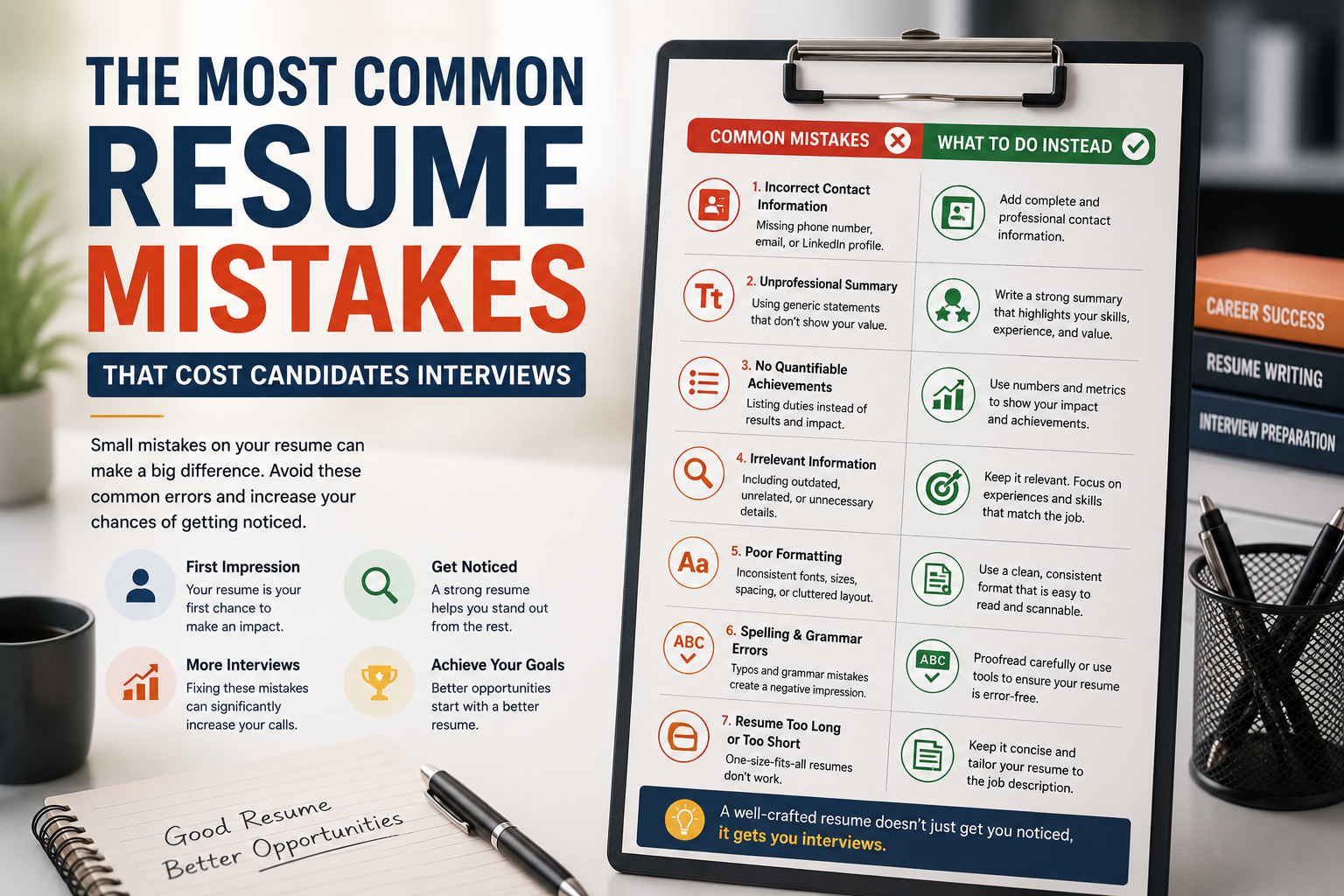
Chapter 22: Before and After – A Complete Resume Transformation
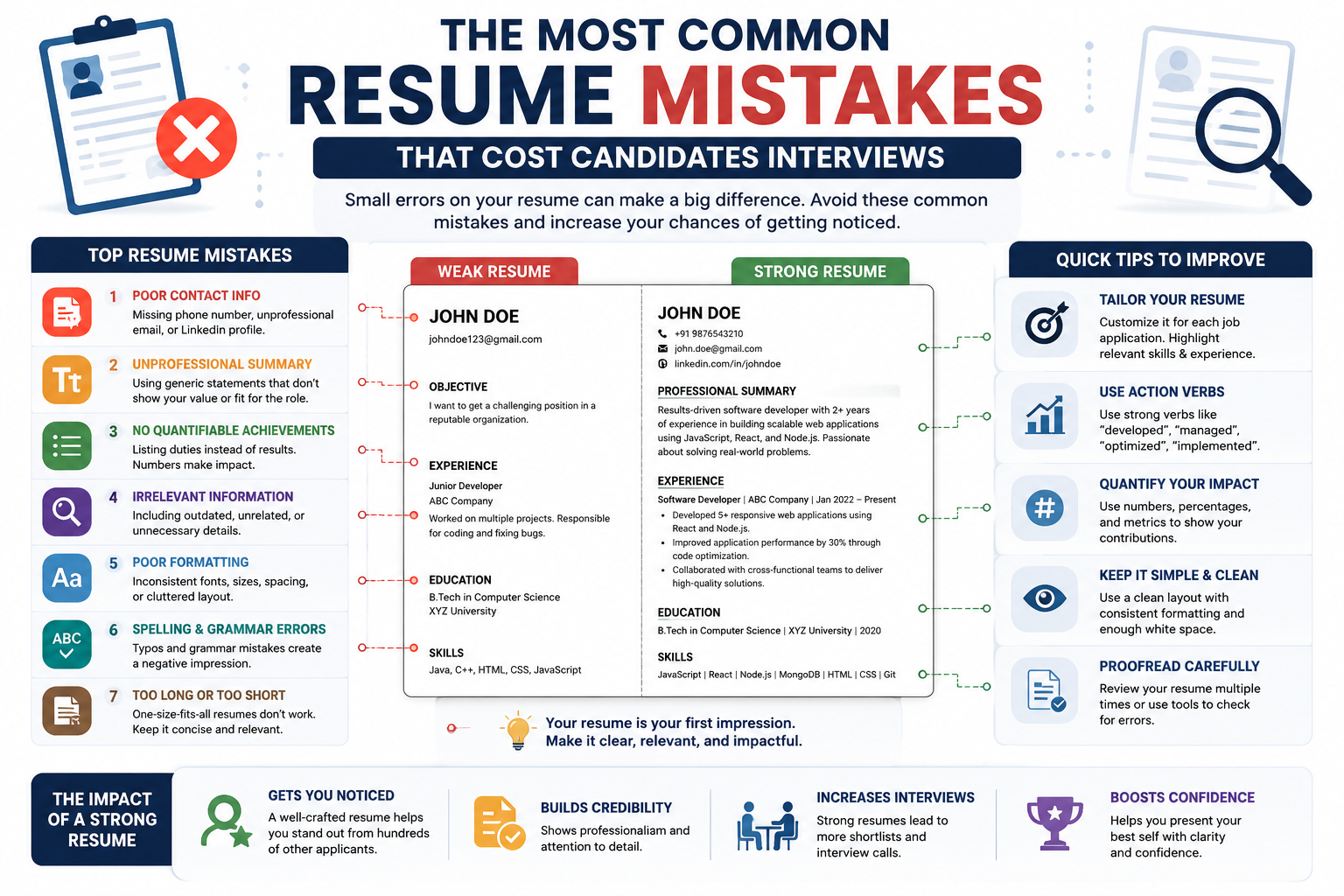
"I am a hard-working software developer with experience in Java and Python. I am responsible for coding, testing, and debugging applications. I helped my team complete projects on time. I am looking for a challenging position where I can grow and learn new skills."
Professional Summary – Full-stack developer with 5+ years of experience building scalable web applications. Proficient in Java, Python, and AWS. Delivered 15+ projects on time while reducing costs by 20%. Passionate about clean code and team collaboration.
Key Achievements:
- • Architected a cloud-based solution that reduced infrastructure costs by $15,000 annually.
- • Led a team of 8 developers to deliver a product 3 weeks ahead of schedule.
- • Optimized legacy code, improving system speed by 40%.
- • Mentored 3 junior developers, helping them onboard faster.
For help transforming your own resume, reach out via contact us. External training like Coursera and Udemy also offer courses on resume writing.
Chapter 23: Final Checklist – Before You Hit "Submit"
- ✅ No typos or grammar mistakes – read it out loud.
- ✅ Professional summary – not a generic objective.
- ✅ Quantified achievements – numbers everywhere possible.
- ✅ Keywords from job description – ATS-friendly.
- ✅ Clean formatting – consistent, professional, readable.
- ✅ PDF format – unless asked otherwise.
- ✅ Contact info up to date – phone, email, LinkedIn.
- ✅ Relevant information only – no fluff.
- ✅ Mobile-friendly – simple layout.
- ✅ Final review by someone else – fresh eyes matter.
Conclusion: Your Resume is Your Key – Don't Lose It
Your resume isn't just a document. It's your ticket to the interview. If it's flawed, you're giving recruiters reasons to reject you. If it's polished, you're giving them reasons to call you.
The mistakes we've covered today are common – but they're also avoidable. With a little effort, you can fix typos, add numbers, remove generic statements, and tailor your resume for each application.
Remember:
- Recruiters spend only 6 seconds scanning your resume.
- Typos are the biggest killer.
- Quantifiable achievements are your best weapon.
- Tailor each resume for the specific job.
- Keep it clean, concise, and professional.
You are skilled. You are talented. You are deserving of that interview. Don't let a poorly written resume hold you back.
Now go fix that resume. The interview you land tomorrow starts with the work you do today. Good luck!